Here's how I use both monitors, and what I wish I had known before buying the Nanit.
What I love most: I can see what actually happened overnight
This is probably the biggest reason I love the Nanit.
There are nights when my son wakes up and I don't hear him. He might move around for a little while and then put himself back to sleep. The next morning, I can look back through the timeline and see that it happened.
I can see when he woke up, look back at that point in the night and get a much better picture of how he actually slept.
How many times my toddler woke up and how many times he woke me up aren't necessarily the same thing.
If I hear something at night but can't remember exactly when it happened the next morning, which happens when you're half asleep, I can go back and check that too. For me, that's what makes the Nanit more useful than simply having a camera pointed at the crib.
The video quality is excellent
I also really like the resolution. When I check the camera, I can clearly see what's happening rather than trying to figure it out from a grainy image.
But it's the combination of good video quality and history that I find particularly useful. I'm not limited to seeing what's happening right now. I can go back to a particular point during the night and actually see what happened.
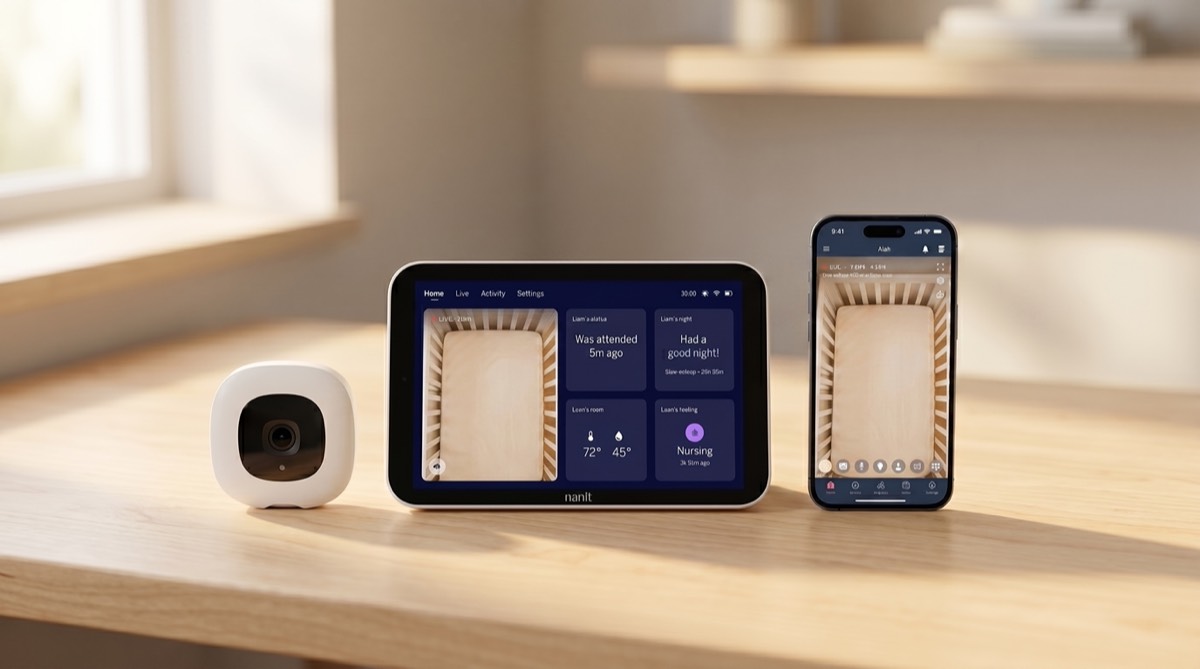
The notifications are genuinely useful
I don't want to keep the Nanit app open all evening just in case my son wakes up. The notifications mean I don't have to.
Nanit lets you customize sound and motion notifications and adjust their sensitivity, which I find useful depending on how much activity I actually want to know about. That allows the monitor to stay in the background rather than becoming something I'm constantly checking.
Background audio is an underrated feature
This is probably one of the features I appreciate most in everyday life. I can keep the nursery audio playing in the background while using my phone for something else.
For example, I can have my earphones in and be listening to something while still keeping the nursery audio available in the background. If my son cries, I can hear what's happening without sitting there watching the Nanit screen.
It's a small feature, but I use it all the time.
What I don't love: Nanit depends on Wi-Fi
This was actually the reason I didn't initially want a Nanit. I didn't want my only baby monitor to depend on Wi-Fi, my phone and an app.
And I still don't. That's why I also own a HelloBaby non-Wi-Fi monitor.
At home, I prefer the Nanit because I value the timeline, analytics, video quality and notifications. But there are plenty of situations where I actually prefer the simplicity of the HelloBaby.
Check the current Nanit price on Amazon →Why I still own a HelloBaby monitor
My HelloBaby has its own parent monitor. I can turn it on and use it without needing an app or using my phone as the monitor.
That makes it particularly convenient for travel. I don't have to worry about connecting a baby monitor to hotel or Airbnb Wi-Fi.
It's also incredibly easy with caregivers. If a nanny or someone else is watching my son, I can just hand them the monitor. They don't need to install an app, connect to my Wi-Fi or have access to my Nanit account.
It's also portable and easy to move around. So I don't really think of the HelloBaby as a cheaper substitute for the Nanit.
They solve different problems for me.
See the HelloBaby monitor I use on Amazon →Nanit vs. HelloBaby: how I use them
| Nanit | HelloBaby | |
|---|---|---|
| Everyday use at home | My preference | Good |
| Sleep history & analytics | Excellent | No |
| Review overnight wake-ups | Yes | No |
| Video quality | Excellent | More basic |
| Customizable notifications | Yes | More basic |
| Requires Wi-Fi | Yes | No |
| Uses my phone / an app | Yes | No |
| Dedicated parent monitor | Not my usual setup* | Yes |
| Easy for caregivers | More setup | Very easy |
| Travel without relying on Wi-Fi | No | Yes |
*Nanit now offers a separate Nanit Home display, but it's an additional device and still relies on Wi-Fi.
One feature I wish Nanit had: automatic on/off scheduling
This wasn't something I cared much about when my son was younger, but now that he's a toddler, I don't need the camera running all day. I mainly want it when he's sleeping.
I'd love to be able to create a simple schedule:
And have Nanit repeat that automatically every day. Nanit lets me manually turn the camera off, but I haven't found a native way to schedule the camera itself to turn on and off automatically.
Part of this is convenience, but I also don't particularly want a camera continuously monitoring activity in the room during hours when there's nothing I want to monitor.
My workaround: a smart plug
My solution is simple: put the Nanit on a smart plug. Instead of scheduling the camera, I can schedule the outlet.
The smart plug can turn power on before bedtime and off again in the morning, giving me essentially the behavior I wish Nanit offered itself.
I'd recommend testing this with your particular Nanit and Wi-Fi setup before relying on it. The camera needs to reconnect properly when power is restored, and this isn't an official Nanit scheduling feature, it's simply controlling power to the camera.
But now that I mainly need the monitor during specific hours, I find the idea much more practical than remembering to manually turn it on and off every day.
See the smart plug on Amazon →Free Excerpt · Baby's First Months Checklist
The practical details I wish I'd had as a first-time mom.
Hospital bag, feeding setup, the real timeline of those first weeks - straight from the book, before you need it.
No spam. Unsubscribe anytime. Signup data may be used for email delivery, analytics, and ad measurement as described in the Privacy Policy.
So, is the Nanit worth it?
For me, yes. But I don't think everyone needs one.
If you simply want to see and hear your baby and don't care about reviewing sleep later, a traditional non-Wi-Fi monitor may be completely sufficient, and significantly simpler.
The Nanit becomes worth it for me because I genuinely use the additional information it provides. I like knowing what happened overnight. I like seeing wake-ups I missed. I like being able to go back to a specific point in the night. I like the notifications and background audio.
Those are the features I would miss if I switched to a basic monitor.
I'd choose the Nanit if you
- Care about sleep history and overnight wake-ups
- Like reviewing what happened, not only watching live
- Want high-quality video and customizable notifications
- Like having your monitor integrated with your phone
- Don't mind relying on Wi-Fi
I'd choose a non-Wi-Fi monitor if you
- Prioritize simplicity over data
- Travel frequently
- Want a dedicated parent unit
- Regularly hand the monitor to other caregivers
Would I buy the Nanit again?
Yes. For everyday use at home, I'd buy it again. But I'd also buy my inexpensive non-Wi-Fi monitor again.
That might sound redundant, but after using both, I don't think they completely replace each other. The Nanit gives me the information and features I value at home. The HelloBaby gives me portability and simplicity when that's what I need.
For us, having both has actually been the best setup.
Shop my setup
Everything mentioned in this review, in one place.
Nanit Baby MonitorSleep timeline, analytics and background audio
See on Amazon →HelloBaby MonitorNo Wi-Fi, dedicated parent unit, easy for travel
See on Amazon →Smart PlugFor scheduling the camera on and off
See on Amazon →More of what we actually used in the first year is on my baby gear page.
Disclosure: As an Amazon Associate, I earn from qualifying purchases. If you purchase through one of my links, I may earn a commission at no additional cost to you. This review reflects my own experience with these products. Features, prices and app functionality can change, so check the current product pages before buying.